When your phone suddenly stops working — whether it slipped out of your
hands, fell into water, or refuses to turn on — your first thought usually
isn’t the device itself. It’s the photos, videos, contacts, notes, and
messages you might lose.
So the big question is: Can you recover data from a damaged phone? The good
news is that in many cases, yes — you can. But it depends on what exactly is
damaged and how your data was stored.
First, let’s see the type of damage you might be dealing with.
 Physical damage (cracked screen, bent
frame, broken back glass)
Physical damage (cracked screen, bent
frame, broken back glass)
If the screen is shattered or the back glass is broken, the internal storage
is probably still intact. That means your data is often recoverable. See
what to do if you’re dealing with a
cracked phone screen.
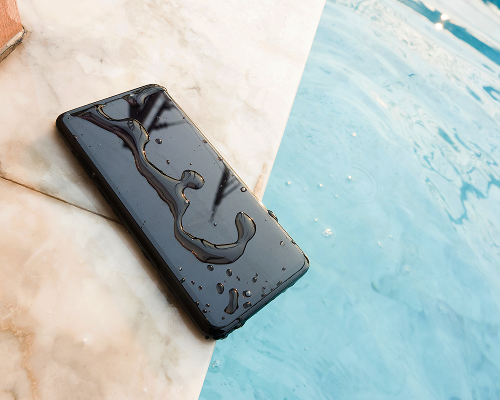
Water damage (dropped in water, spilled on, washed with laundry, rained on)
Water can short-circuit components, but it doesn’t always destroy the
storage chip. If you act quickly, your chances of recovery are high. Learn
what to do if you’ve
dropped your phone in water.
Software-related damage (boot loop, update failure)
These issues rarely affect the actual data and can often be fixed without
advanced tools.
What Data Can Be Recovered From a Damaged Phone?
If the internal memory chip is not destroyed, you (or a professional) can
often recover your data. This includes photos, videos, contacts, messages,
files, app data, and more. Even if the phone doesn’t turn on, data can often
be extracted using advanced recovery tools.
 Signs Your Data Is
Probably Still Safe
Signs Your Data Is
Probably Still Safe
Your data is likely recoverable if:
- You see notifications or hear sounds when you plug it in
- It vibrates or shows signs of life
- The screen is the only thing broken
- The charging port still works
- The device isn’t heating up unusually
These signs usually show that the motherboard and storage chip may still be
functional. However, even if your phone shows signs of life, it’s important
to know that data recovery may not be possible in some cases.
 When Data Cannot Be
Recovered from a Damaged Phone
When Data Cannot Be
Recovered from a Damaged Phone
While many damaged phones still allow for data recovery, there are
situations where data loss is permanent. Unfortunately, data recovery may be
impossible if:
- The internal memory chip is physically destroyed
- There is severe water damage with corrosion
- The phone experienced extreme heat or fire
- The device was factory reset before it died
- The motherboard is damaged, and you had no backup
You should be aware of these situations so you understand the limits of data
recovery and know what to expect if your phone is severely damaged.
How to Recover Data from a Broken Phone
If you’re looking for a way to recover data from a broken or water-damaged
phone, here are the methods that usually work — in order of what to try
first.
1. Check for cloud backups
If your phone automatically syncs with cloud services like Google Drive or
iCloud, your data is already safe.
-
iPhone: iCloud Photos, iCloud Backup,
Contacts
-
Android: Google Drive, Google Photos,
automatic device backups
This is the fastest and easiest recovery method. Check your account from
another device to see what’s recoverable.
2. Try connecting your phone to a computer
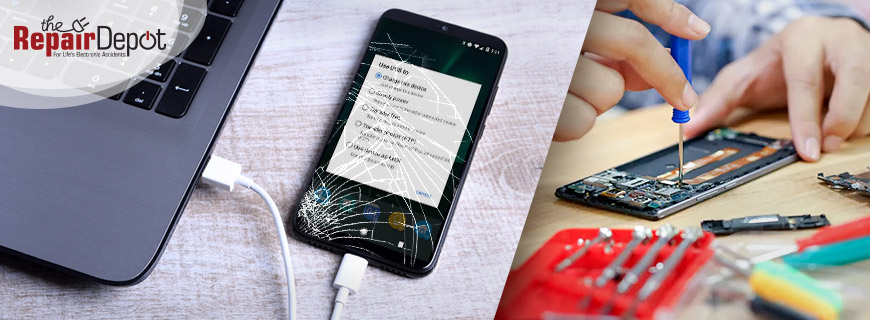
If the phone powers on (even without a working screen), your computer may
still detect it. Connect it to your laptop or PC with a USB cable to access
and transfer your data.
3. Use a USB OTG and external keyboard/mouse
If the screen is broken and unresponsive, you can unlock your device using a
USB adapter and retrieve your files.
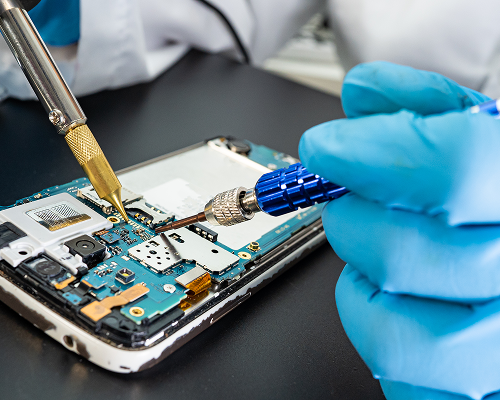
4. Professional data recovery (chip-off recovery)
If your phone is totally dead or severely damaged, professionals can remove
the memory chip and extract data directly. This process is called chip-off
recovery and is the best option when your phone is unresponsive, the
charging port is dead, or there’s water-related corrosion.
If your phone is damaged, don’t panic. In many cases, your data, from photos
and messages to documents and app files, can still be recovered – as long as
the internal storage isn’t destroyed.
Dropped your phone or noticed it’s not working properly?
Our expert repair team can resolve the most common iPhone and Android
issues, from cracked screens and water damage to broken ports and battery
problems. The Repair Depot provides fast, reliable service to get your
device back in perfect working order.
Don’t wait — get your free
phone repair quote
today and let us take care of the rest!