Your iPhone used to last all day. Now you’re hunting for a charger by
lunchtime. Before you rush to buy a new phone, there’s one thing worth
checking first: your battery. If your battery drains fast or your phone
feels slower than usual, you may need a replacement.
But how do you know for sure? Let’s see how long an iPhone battery usually
lasts and the signs that tell you it’s time to replace it.
How Long Does an iPhone Battery Usually Last?
Most iPhone batteries are designed to keep about 80% of their original
capacity after 500 (iPhone 14 and earlier) or 1000 full charge cycles
(iPhone 15 models), which is roughly about 2 years for most users.
iPhone batteries typically last 2–3 years before they begin to degrade
noticeably. Heavy use—like gaming, video streaming, or constant GPS—can wear
it down even faster.
If your phone is older than two to three years and struggling to last the
day, the battery is often the main reason.
Signs It’s Time to Replace Your iPhone Battery
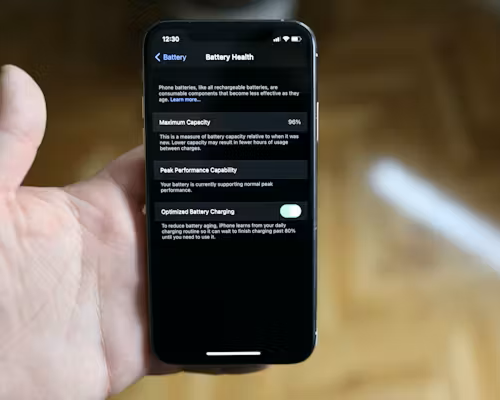 1. Battery Health Is Below
80%
1. Battery Health Is Below
80%
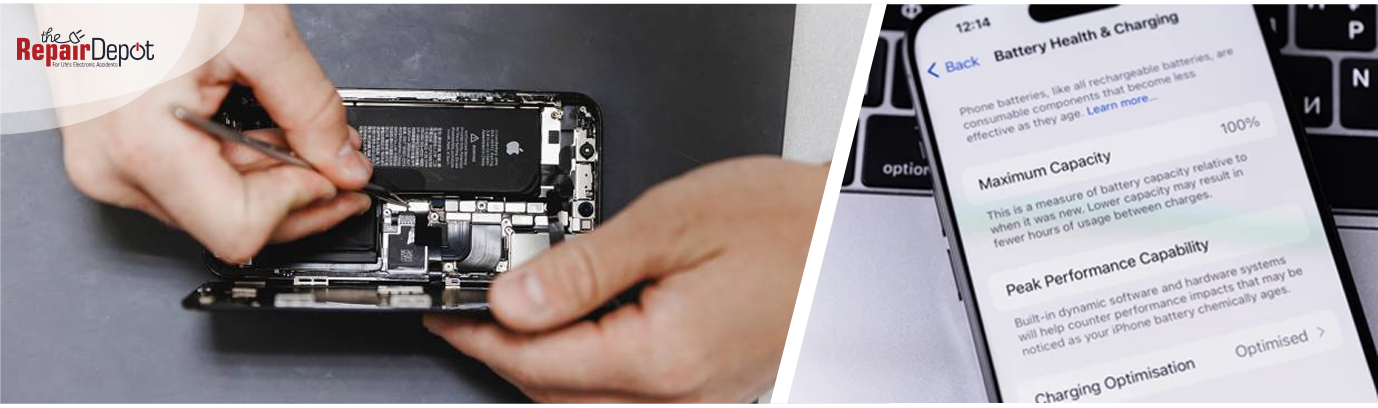
Every iPhone has a built-in feature called Battery Health. To check your
iPhone battery health, go to Settings > Battery > Battery Health & Charging.
If the Maximum Capacity is under 80%, that’s Apple’s official signal that
the battery is significantly worn.
At this point, you’ll notice:
- Shorter battery life
- More frequent charging
- Unexpected shutdowns
Once you see 80% (or lower), a replacement is worth considering.
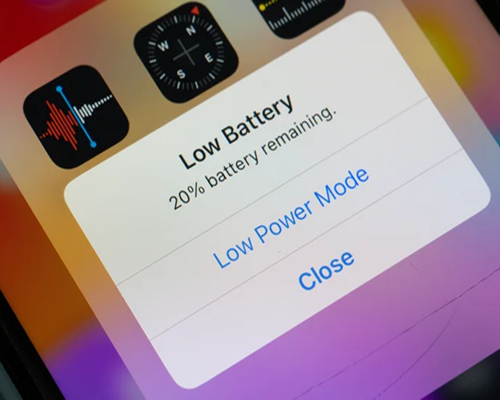 2. Your Battery Drains Very
Quickly
2. Your Battery Drains Very
Quickly
If your iPhone drops from 40% to 10% in minutes—or needs charging multiple
times a day—that’s a strong sign the battery is worn out. You may notice
this even during light use, such as texting, scrolling through social media,
or checking email.
3. Your iPhone Shuts Down Unexpectedly
If your iPhone randomly shuts off, especially when the battery percentage
isn’t low, it usually means the battery can’t deliver stable power anymore.
As the battery degrades, it struggles to keep up, causing your iPhone to
power off without warning.
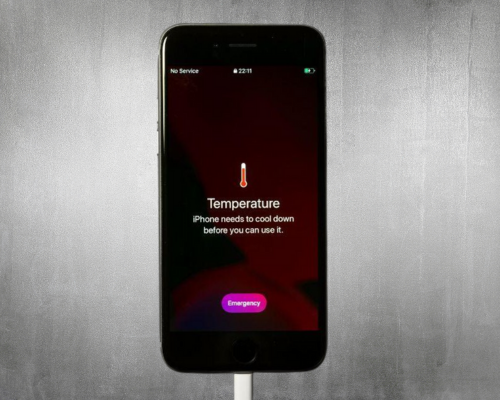 4. Your iPhone Starts
Overheating Easily
4. Your iPhone Starts
Overheating Easily
A worn-out battery can’t manage power efficiently, which means your phone
may heat up even during light tasks like browsing, watching videos, or
charging —and that’s something you shouldn’t ignore. While iPhones naturally
get warm sometimes, consistent overheating is a red flag.
Learn what to do if your
phone is overheating.
5. Your iPhone Feels Sluggish
If apps open slowly, animations feel choppy, or your iPhone seems unusually
slow, it might not be the phone—it might be the battery. When batteries age,
iPhones throttle performance to prevent sudden shutdowns. A fresh battery
often brings the phone back to its original speed.
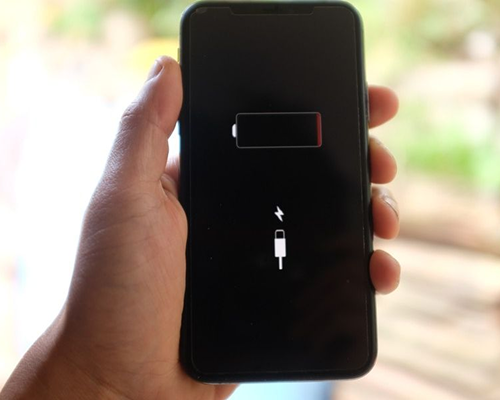 6. Charging Takes Much
Longer
6. Charging Takes Much
Longer
Older batteries charge inefficiently. If your iPhone takes noticeably longer
to reach 100%, it may be another sign that the battery has degraded.
Learn what to do if your
phone is not charging.
7. You See a Warning Message
If your iPhone displays a message saying “Your battery’s health is
significantly degraded,” Apple is letting you know that the battery can no
longer deliver peak performance. When you see this message, it’s a strong
indicator that a battery replacement is needed soon to keep your iPhone
running smoothly.
8. Your iPhone Only Works When Plugged In
If your iPhone shuts off almost immediately after unplugging it—or won’t
turn on at all unless it’s connected to a charger—this is a clear sign that
the battery can no longer hold a charge.
At this stage:
- The battery capacity is extremely low.
- The phone relies on constant external power.
- Normal use without a charger becomes impossible.
When this happens, replacing the battery isn’t just recommended—it’s
necessary.
Is Replacing an iPhone Battery Worth It?
In most cases — absolutely. If your phone is still in good condition, meets
your daily needs, and has no major hardware issues, a new battery can make
it feel almost brand new, without the cost of a full upgrade. Sometimes, all
your iPhone needs is a fresh battery, not a full replacement.
How Much Does iPhone Battery Replacement Cost?
Replacing a battery is far less expensive than buying a new iPhone. Costs
vary depending on the model and the repair shop, but it’s often one of the
most affordable repairs you can make. In general, iPhone battery replacement
costs between $50 and $120.
Your iPhone battery won’t last forever, but replacing it at the right time
can extend the life of your device by years. Keep an eye on your battery
health, watch for performance issues, and don’t ignore overheating or
shutdowns. When these signs show up, it’s probably time for a new battery.
If your iPhone battery isn't holding a charge and you need a replacement,
you’re in the right place!
The Repair Depot offers fast, professional iPhone battery replacements
that will help your phone last longer and run smoothly again. Instead of
struggling to make it through the day or upgrading to a new phone, let our
skilled technicians help you get more out of the one you already
have.
Get a free
iPhone repair quote
to get started!